Cloud vs On-Premise: Which Is Right for Your SMB in 2026?
Published by: InfoPoint IT Services | Last Updated: May 2026
Service Hubs: Pune, Mumbai, and Pan-India
| 💡 2026 Key Insight: The infrastructure debate is no longer just about cost. It is about how fast your business can scale without suffering a catastrophic data breach. For SMBs in rapid-growth hubs like Pune and Mumbai, choosing between cloud and on-premise setups determines your operational resilience, cybersecurity posture, and competitive advantage. |
The question is no longer just about cost or convenience. In 2026, choosing between cloud and on-premise IT infrastructure is a strategic decision that directly impacts your business’s security, compliance, scalability, and long-term profitability. For small and medium-sized businesses (SMBs) across India — especially in fast-moving markets like Pune and Mumbai — getting this decision right can mean the difference between thriving and falling dangerously behind. At InfoPoint IT Services, we work with SMBs every day to evaluate their IT infrastructure, assess cybersecurity risks, and implement the right mix of cloud and on-premise solutions tailored to their unique business landscape. This blog breaks down everything you need to know to make an informed, confident decision in 2026.
🚀 Executive Summary: The 2026 Infrastructure Comparison
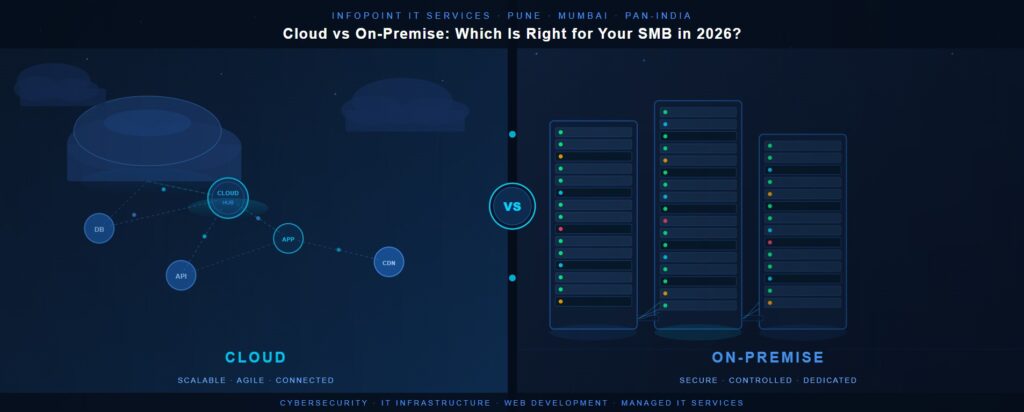
Choosing the right IT infrastructure requires balancing performance, budget, and risk. At InfoPoint IT Services, we see hundreds of SMBs in Maharashtra struggling with this decision. The table below captures the core differences at a glance:
| Feature | Cloud Infrastructure | On-Premise Infrastructure |
| Best For | Rapid scaling, remote work, fast deployment | Complete data control, legacy systems |
| Upfront Cost | Low (Op-Ex / Subscription-based) | High (Cap-Ex / Hardware investments) |
| Maintenance | Handled by vendor & IT partner | Fully managed by your internal IT team |
| Cybersecurity Model | Shared Responsibility Model | 100% Client-Managed Security |
| Scalability | Instantly scalable on demand | Limited by physical hardware capacity |
| Compliance & Data Sovereignty | Depends on provider region & policy | Full local control — ideal for regulated data |
| AI & Modern Software Integration | Seamless — most AI tools are cloud-native | Requires additional integration effort |
1. Global Trends Shaping IT Infrastructure Decisions in 2026
The global IT landscape has shifted dramatically. Cloud adoption is no longer a future trend — it is the present reality. Yet on-premise infrastructure continues to hold its ground in specific sectors and use cases. Here is what the global picture looks like right now, and why it matters directly for SMBs using business software, managing a website, or relying on web development workflows:
- Hybrid Infrastructure is Mainstream. Over 85% of enterprises globally now operate hybrid environments, blending secure on-premise hardware with agile cloud ecosystems. SMBs in Pune and Mumbai are rapidly catching up.
- Cloud-First Mandates are Growing. Governments and regulatory bodies in the EU, US, and increasingly India are pushing cloud-first policies across public sector and regulated industries.
- The Cloud Repatriation Reality. Due to spiraling public cloud costs, over 60% of businesses are moving predictable, data-heavy workloads back to local IT infrastructure — a trend called cloud repatriation.
- Edge Computing is Rising. With IoT devices proliferating across manufacturing, retail, and healthcare SMBs, on-premise edge computing is seeing a revival for latency-sensitive workloads.
- AI Dependency is Cloud-Driven. Modern AI-driven software and automated web development tools run almost exclusively in the cloud, giving cloud-integrated SMBs a measurable efficiency advantage.
- Cybersecurity Threats are Escalating. Both cloud and on-premise environments face rapidly evolving cyberattacks, making cybersecurity the single most critical factor in any infrastructure decision.
- Data Sovereignty Concerns are Growing. Strict compliance laws in India are forcing firms in finance, legal, and healthcare sectors to store sensitive data locally or in India-based data centers.
2. Why SMBs Remain Vulnerable — Regardless of Infrastructure Choice
Whether your data sits on a server in your office or in a data center thousands of kilometers away, your business is a target. Hackers do not exploit your infrastructure type — they exploit your security gaps:
- Limited IT Budgets. Most SMBs spend less than 5% of their budget on proactive cybersecurity, leaving critical systems exposed to threats that basic antivirus cannot stop.
- The Strained IT Generalist. Expecting a single internal IT employee to manage your network, handle desktop support, and defend against global hacking syndicates creates a massive security gap.
- The Cloud Security Myth. Moving to the cloud does not mean you are automatically safe. Cloud security follows a shared responsibility model — the provider secures the hardware; you must secure your users, data, and access controls.
- Vulnerable Web Environments. Outdated website plugins, legacy web code, and unpatched content management systems leave your digital storefront completely exposed.
- Poor Password Hygiene and Access Control. Weak passwords, shared credentials, and the absence of multi-factor authentication (MFA) remain among the leading causes of SMB breaches.
- No Formal Cybersecurity Policies. Many SMBs operate without documented security protocols, incident response plans, or employee awareness training.
- Third-Party and Supply Chain Risks. SMBs often use multiple SaaS platforms, software vendors, and web service providers — each a potential entry point for attackers.
- Remote and Hybrid Work Expansion. The post-pandemic normalization of remote work has dramatically expanded the attack surface for SMBs without robust endpoint security or VPN policies.
3. Business Areas Most at Risk From Cyber Threats
Cybercriminals target specific, high-value assets within your organization. If these systems are left unprotected, an attack can paralyze your operations within minutes:
- Financial & Accounting Software. Ransomware frequently targets billing systems, payroll records, and banking credentials to force immediate payouts and cause operational paralysis.
- Corporate Website & Web Applications. Your website is your digital front door. Poorly secured web development environments allow hackers to inject malware, skim customer data, or launch Distributed Denial of Service (DDoS) attacks.
- Customer CRM Databases. Storing Personally Identifiable Information (PII) on unsecured cloud buckets or unmonitored local drives invites regulatory fines and massive reputational damage.
- Email & Communication Lines. Business Email Compromise (BEC) and AI-assisted phishing target your employees daily to intercept wire transfers or steal admin credentials.
- HR and Payroll Software. Sensitive employee data, salary information, and identity documents stored in inadequately secured software create significant compliance and financial risks.
- Cloud Storage and File Sharing. Misconfigured cloud storage and inadequate access controls regularly expose confidential business documents to unauthorized access.
- IT Infrastructure and Network Equipment. Unprotected routers, switches, and on-premise servers with default credentials or unpatched firmware are frequently exploited entry points.
- E-commerce and Payment Platforms. SMBs running online stores face card skimming attacks, payment gateway breaches, and fraudulent transactions if their web infrastructure is not secured.
4. Common vs. Sophisticated Attack Methodologies
To protect your business, you need to understand exactly what your defences are up against. Modern cybercriminals employ a growing arsenal of techniques, ranging from opportunistic to highly targeted: Common Attack Vectors
- Phishing & Spear Phishing — Deceptive emails designed to trick employees into surrendering passwords, credentials, or sensitive business data.
- Ransomware — Malicious code that locks down files and systems until a ransom is paid; increasingly delivered via phishing links or compromised Remote Desktop Protocol (RDP) connections.
- Brute Force Attacks — Automated attempts to crack passwords on RDP endpoints, web admin panels, and cloud portals.
- SQL Injection & Cross-Site Scripting (XSS) — Exploit techniques targeting vulnerabilities in a website or database to steal backend data or hijack user sessions.
- Man-in-the-Middle (MitM) Attacks — Interception of communications between users and web services, often via unsecured public Wi-Fi networks.
Sophisticated 2026 Threats
- AI-Powered Social Engineering. Attackers use AI to generate highly convincing phishing emails, deepfake audio, and video to impersonate executives, vendors, or trusted contacts.
- Living-Off-the-Land (LotL) Attacks. Hackers use legitimate administration tools already built into your operating system — like PowerShell or WMI — to move silently across your network without triggering standard alerts.
- Supply Chain Exploits. Cybercriminals compromise a trusted third-party software vendor or web service provider to gain a backdoor entry point into your systems.
- Cloud Misconfiguration Exploitation. Automated scanners continuously probe the internet for misconfigured cloud environments, exposed APIs, and open storage buckets.
- Zero-Day Exploits. Attackers exploit vulnerabilities in software before patches are available, targeting commonly used business applications, plugins, and web
- Business Email Compromise (BEC) with AI Assistance. Highly convincing impersonation of executives combined with AI-generated voice or text to authorize fraudulent wire transfers.
5. Actionable Recommendations to Harden Your Defences
Building a secure IT environment in 2026 requires a layered, proactive approach — regardless of whether you choose cloud, on-premise, or a hybrid setup. Here are our top recommendations: Immediate Identity & Endpoint Steps
- ✅ Enforce Multi-Factor Authentication (MFA): Mandate MFA across all cloud accounts, emails, VPNs, and internal portals. This single action blocks over 99% of automated credential attacks.
- ✅ Deploy EDR Tools: Move past traditional antivirus. Use Endpoint Detection and Response (EDR) software to monitor laptops, desktops, and servers in real time.
- ✅ Quarterly Employee Training: Run simulated phishing exercises and cybersecurity awareness programmes to turn your employees into a human firewall.
IT Infrastructure & Web Security Steps
- ✅ Implement the 3-2-1 Backup Rule: Keep 3 separate copies of your business data on 2 different media types, with 1 copy stored securely offsite or in an air-gapped cloud environment.
- ✅ Harden Your Web Presence: Ensure all custom web development follows secure coding practices. Deploy a Web Application Firewall (WAF) to shield your website from active exploits, SQL injection, and bot attacks.
- ✅ Automated Patch Management: Run a strict schedule for updating all server operating systems, firmware, and business software
- ✅ Network Segmentation: Separate guest Wi-Fi from internal systems, and isolate critical servers from general workstations to contain potential breaches.
- ✅ Deploy Next-Generation Firewalls (NGFW): with intrusion detection and prevention systems (IDS/IPS) for real-time threat visibility across your IT infrastructure.
Cloud Security Steps
- ✅ Conduct Regular Cloud Security Posture Assessments to identify misconfigurations in your cloud environment before attackers do.
- ✅ Use Cloud Access Security Brokers (CASBs) to monitor and control cloud application usage across your team.
- ✅ Enable Logging and Monitoring across all cloud services and configure alerts for anomalous or suspicious activity.
Strategic Recommendations
- ✅ Develop and Document an Incident Response Plan so your team knows exactly what to do when — not if — a security event occurs.
- ✅ Engage a Trusted IT Services Partner in Pune or Mumbai to conduct a comprehensive IT infrastructure audit and cybersecurity gap assessment.
- ✅ Consider Cyber Liability Insurance as part of your overall risk management strategy.
6. How InfoPoint IT Services Safeguards Your Growth
At InfoPoint IT Services, we know that a logistics firm in Pune faces entirely different operational challenges than an e-commerce platform or financial office in Mumbai — or a healthcare provider in Nashik. A generic security checklist will simply not protect your investments. Our approach begins with a comprehensive, intelligence-driven analysis of your entire business landscape. We evaluate your existing IT infrastructure, audit your software architecture, run security scans on your customer-facing website, and pinpoint hidden vulnerabilities before hackers can find them. Our team combines advanced diagnostic tools and AI-powered assessment platforms with deep domain expertise to map every layer of your IT environment — from on-premise servers and networking equipment to cloud accounts, web applications, and employee devices. Your Current Network ➡ InfoPoint AI-Driven Audit ➡ Custom Hybrid Framework ➡ 24/7 Managed Defence Based on this holistic analysis, we design and implement the right mix of solutions — including next-generation firewalls, endpoint protection, SIEM (Security Information and Event Management), cloud security configurations, secure web development practices, automated patch management, backup and disaster recovery systems, and employee training programmes. Whether you need to secure an on-premise data closet, migrate smoothly to a protected cloud environment, or deploy a resilient hybrid setup, InfoPoint delivers end-to-end management built for the demands of 2026. Our clients across Pune, Mumbai, and the wider Maharashtra region trust us not just as a vendor but as a strategic IT services partner — one that speaks their language, understands their industry, and is always a call away. From securing your website to fortifying your entire IT infrastructure, from managing your software ecosystem to guiding your cloud migration, InfoPoint IT Services is your end-to-end cybersecurity and IT partner built for 2026 and beyond.
Making the Right Choice: Cloud, On-Premise, or Hybrid?
There is no universal right answer — the best IT infrastructure for your SMB depends on your industry, data sensitivity, compliance obligations, budget, and growth ambitions. But one thing is non-negotiable: whichever path you choose, cybersecurity must be built in from day one, not bolted on as an afterthought. If you are an SMB in Pune, Mumbai, or anywhere across India looking to evaluate your IT infrastructure, assess your cybersecurity posture, or make a confident cloud strategy decision — InfoPoint IT Services is ready to help.
| Secure Your IT Infrastructure Today Stop guessing which setup is safer. Let our team design a secure, cost-effective infrastructure framework tailored specifically to your business goals. 👉 Book Your Free 2026 Cybersecurity Consultation 📍Partnering with growing SMBs across Pune, Mumbai, and all of India. |
#Cybersecurity | #IT Services | #IT Infrastructure | #Cloud Computing | #On-Premise | #Web Development | #Website Security | #Software | #SMB | #Pune | #Mumbai | #InfoPoint IT Services | #Cyber Threats 2026 | #Cloud vs On-Premise
Frequently Asked Questions
Yes, but it requires deliberate setup and extra security overhead. To allow remote employees to access local on-premise servers, you must implement robust Virtual Private Networks (VPNs), secure remote desktop protocols (RDP), and strict identity controls. Unlike the cloud, which is built natively for web access, on-premise requires you to provide and maintain the bandwidth and hardware for all remote connections.
Assess your workloads, compliance rules, and IT staffing. If you have fluctuating workloads, a distributed remote team, and want to avoid massive upfront hardware costs, choose the Cloud. If you operate in a highly regulated industry with predictable computing needs, require ultra-low local latency, and have an internal IT team capable of handling physical server upkeep, stick to On-Premise. For most modern businesses, a balanced Hybrid approach is the ultimate sweet spot.
A standard migration involves a structured process: first, assessing your existing digital assets and software architecture; second, choosing a migration strategy (such as “Rehosting” or completely re-architecting your software); and finally, moving data in structured phases. Partnering with an experienced IT services provider ensures seamless data transfer with zero operational downtime.
With on-premise infrastructure, ensuring compliance with local laws (like data localization mandates in India) is straightforward because you physically control the storage drives. In the cloud, data can be dynamically distributed across global data centers. To stay compliant, businesses must explicitly choose regional cloud zones (e.g., storing data strictly in India-based data centers) and audit their cloud provider’s certifications.
In an on-premise model, disaster recovery requires maintaining a secondary physical location with duplicate hardware to back up data—which is incredibly expensive. Cloud disaster recovery is much faster and cheaper; it allows you to automatically back up your systems to completely different geographic zones, ensuring your business apps can be spun back up online within minutes of an emergency.
Neither is inherently safer; it depends entirely on implementation. Major cloud providers invest billions in enterprise-grade physical and network security, but misconfigurations by users remain a primary source of cloud data breaches. On-premise gives you 100% control over your security stack, but leaves you entirely responsible for defending against sophisticated, modern cyberattacks.
While the entry cost is low, the hidden fees catch many SMBs off guard. The most common unbudgeted costs include data egress fees (charges for moving your data out of the cloud), purchasing premium vendor support packages, running unmonitored or idle development environments, and implementing third-party cloud compliance monitoring tools.
This framework dictates who is responsible for security. The cloud provider is solely responsible for security “of” the cloud (the physical data centers, host operating systems, and global network). The customer remains fully responsible for security “in” the cloud, which includes managing user access, configuring firewalls, setting up Multi-Factor Authentication (MFA), and protecting actual business data.
A hybrid infrastructure blends on-premise servers with public or private cloud environments. This approach allows SMBs to keep highly sensitive or strictly regulated legacy data locked down locally on-premise, while simultaneously utilizing the high scalability and processing power of the cloud to run customer-facing websites, web applications, or modern business software.
A public cloud (like AWS or Azure) shares massive physical hardware infrastructure across millions of different corporate tenants, though everyone’s data is digitally isolated. A private cloud consists of cloud infrastructure dedicated entirely to one single organization. It can be hosted securely on your own physical on-premise servers or isolated at a vendor’s facility, offering maximum privacy and customization.
Cloud-based business tools, software, and e-commerce websites are entirely dependent on a stable internet connection. If your office suffers an internet outage, or if your cloud service provider experiences a global server disruption, your team cannot access their operational files or applications. On-premise infrastructure allows local employees to keep working on the internal network even if the external internet drops.
The core difference lies in location and ownership. On-premise infrastructure means your servers, software, and data are physically located inside your company’s building and managed by your internal IT team. Cloud infrastructure is hosted offsite on physical hardware owned by a third-party provider (like AWS, Microsoft, or Google) and accessed securely over the internet.
The cloud wins by a landslide. If your business experiences a sudden traffic spike or rapid team growth, you can provision more processing power, storage, or software licenses instantly with a few clicks. Scaling an on-premise data center requires ordering new physical hardware, waiting for delivery, manually installing it into server racks, and configuring the network—a process that takes weeks or months.
It depends on your business model. On-premise requires high upfront Capital Expenditure (CapEx) for hardware and installation, but has predictable, lower long-term costs. Cloud uses an Operating Expenditure (OpEx) pay-as-you-go model with zero upfront costs, though monthly subscriptions can spiral if cloud resource consumption isn’t tightly monitored and optimized.
Cloud repatriation is the process of moving certain workloads or data storage back to on-premise servers from the cloud. Many companies are doing this because of “sticker shock”—unexpectedly high data egress fees, storage costs, and API call charges. Moving predictable, stable workloads back to local IT infrastructure helps cut down on fluctuating cloud bills.